Requirements for Going Live on WhatsApp
- The phone number must never have been registered with any type of WhatsApp (Personal/Business) or any other Meta service.
- If your number is already registered with another Meta provider, we can assist you in migrating seamlessly.
- Facebook Account
Setting Up your Meta (Facebook) for WhatsApp
Step 1 : Create an app in Meta (Facebook)
- Login to your Meta (Facebook) account that you want to use for creating your apps.
- Next, visit https://developers.facebook.com/
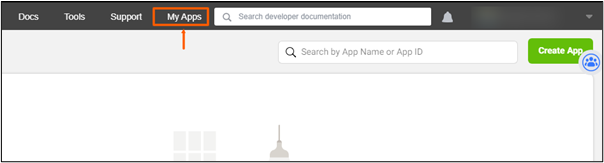
- Click on the `My Apps` button at the top.
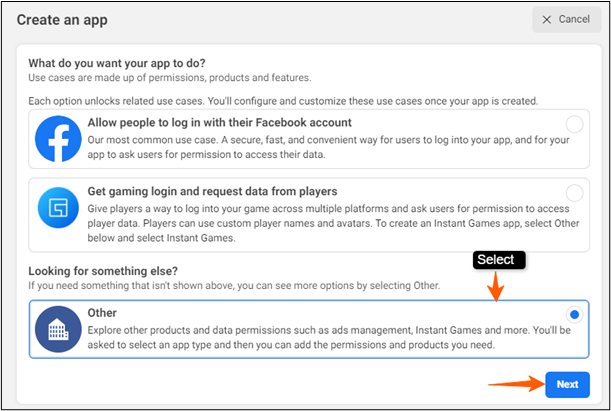
4. Click on the `Create App` button
5. Select the `Other` option and proceed
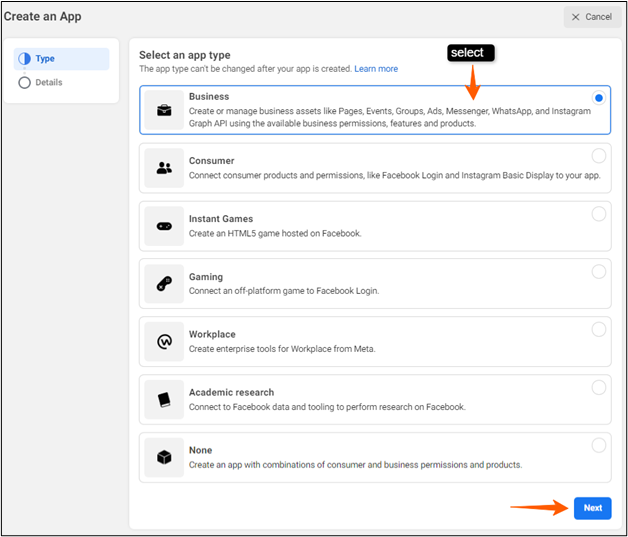
6. Next, you must select `Business` as your app type and click on `Next`
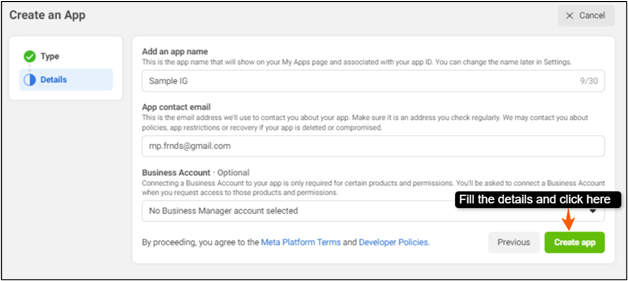
7. Provide the following details about your business:
- App name : a display name that will be shown on the My Apps Page
- App contact Email: used by Facebook to contact you regarding your app to convey about the policies, updations, restrictions, recovery, etc
- Business account (optional) : your Facebook account used for business. In case you don’t have one, it will be created automatically.
After adding the details 🠞 click on `Create app`
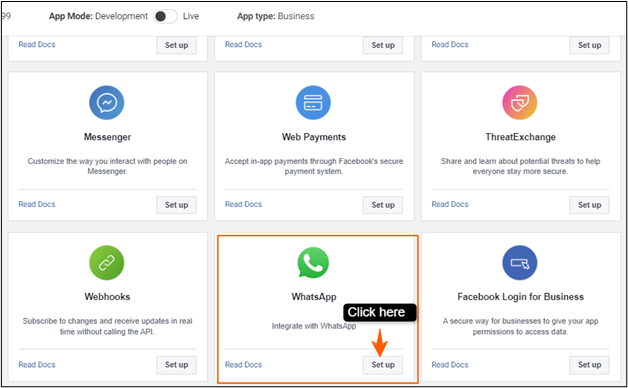
8. On the next screen, search for `Whatsapp` 🠞click on `Set up`
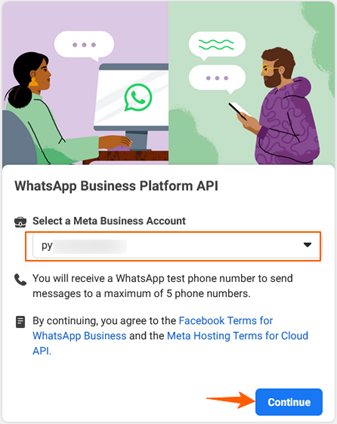
9. In the next step, select the Business account that you want to use and click on `Continue
Step 2: Set up and verify the Phone Number
- Adding your Phone Number
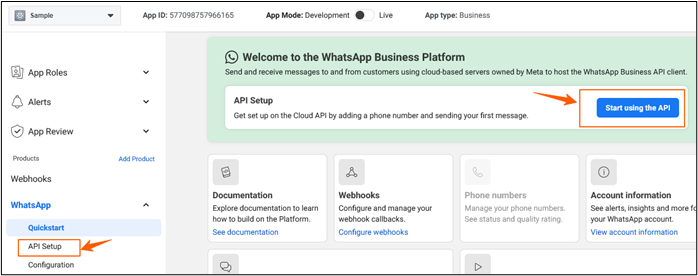
On the next screen that appears. click on the `Start using the API` button or select the `API Setup` option from the side bar.
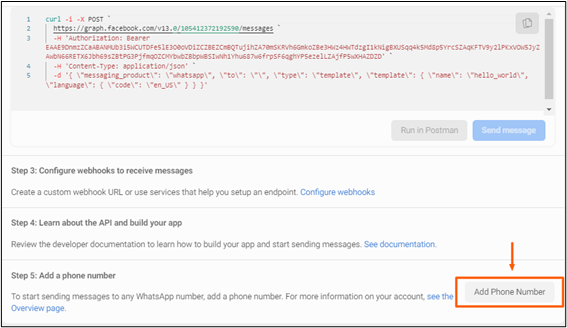
- Once you are on the `API Setup` Screen, s croll down to the bottom and click on the ‘Add Phone Number’ button
Note: Use A phone number never registered with any type of Whatsapp (Personal/Business) or with Meta.
Fill up your following business details:
↳ An appropriate Display name
↳ Your corresponding Timezone
↳ Your Business Category
↳ A short Business Description
↳ Click on the `Next` button
Next,
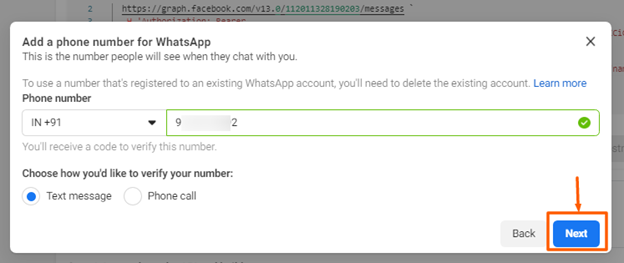
↳Select your corresponding ISD code
↳ Add your Phone number
↳ Click on the `Next` button for verification.
You have now configured a phone number for your Whatsapp.